

Comparisons
BuildShip vs Xano: Pricing, Features, and Use Cases for 2026
Buildship vs Xano: compare AI workflow capabilities, backend flexibility, pricing, and use cases to pick the right automation backend for your stack.
Himanshu Sharma ·
![WeWeb vs FlutterFlow: A Detailed Comparison [2026]](https://assets.nocodeassistant.agency/687a3f4564ba97cd0453e12c_685f01f8853b8e01c2b66dfb_original-83dcdbcfa648c07601db177e9c8565b1.webp)
I’ve been building apps for mid-sized companies for years now. The “Which platform should I use?” question comes up in almost every client call.
Lately, it’s been WeWeb vs FlutterFlow. Both are solid low-code platforms, but they’re different.
I’m not here to crown a winner but to explain the pros, cons, and use cases so you can decide what fits your business.
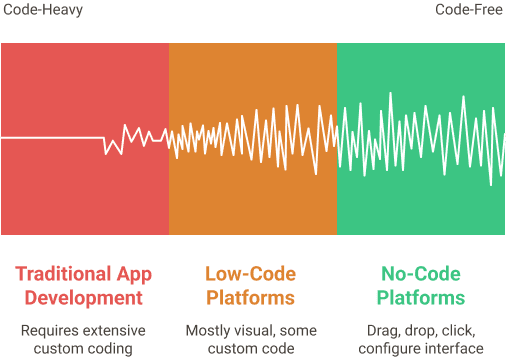
Low-code platforms are tools that let you build software without needing to write code.
Traditional app development? You write code. Lots of it. It takes months, costs a fortune, and needs specialised developers.
No-code platforms? You drag, drop, click, configure. It still takes work, but way less time and money. And your operations team can understand what’s happening.
Low-code is somewhere in between. It’s mostly visual, but you can write custom code when needed. Both WeWeb and FlutterFlow fall into this category.
Not all low-code tools are the same. Some work well for simple applications, while others are better suited for complex ones.
Picking the wrong one can cost you months of work and headaches.
That’s why comparing WeWeb and FlutterFlow makes sense.
WeWeb is a frontend builder for web applications. You design the UI visually, add logic through workflows and custom code, and connect to the backend of your choice.
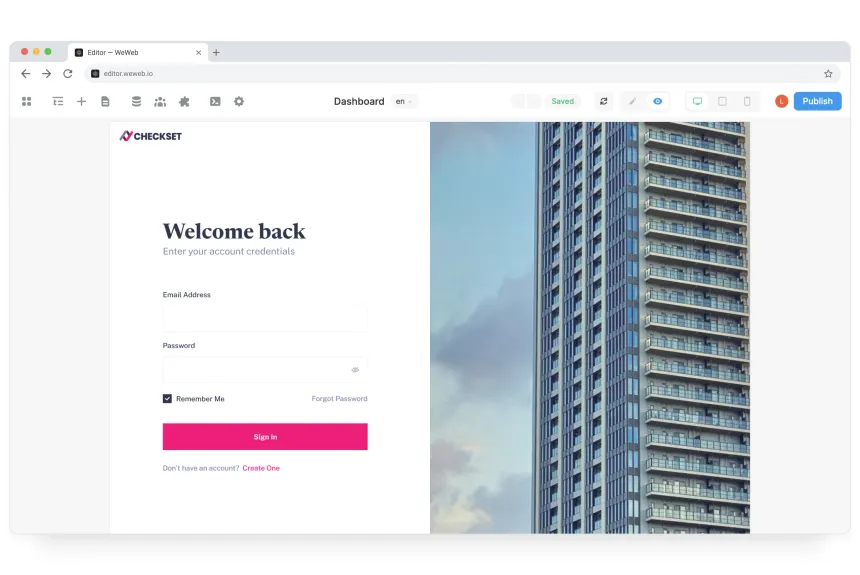
Since April 2026, WeWeb also includes its own native backend called WeWeb Tables: Postgres database, auth, and file storage built directly into the editor. For simpler apps, you don’t need an external backend at all. For more complex data or compliance requirements, you can still connect Supabase, Xano, Airtable, or any REST API.
I’ve used WeWeb for client portals, internal dashboards, and customer-facing SaaS tools.
FlutterFlow is built on Google’s Flutter framework. You design apps that run on iOS, Android, and web from a single project.
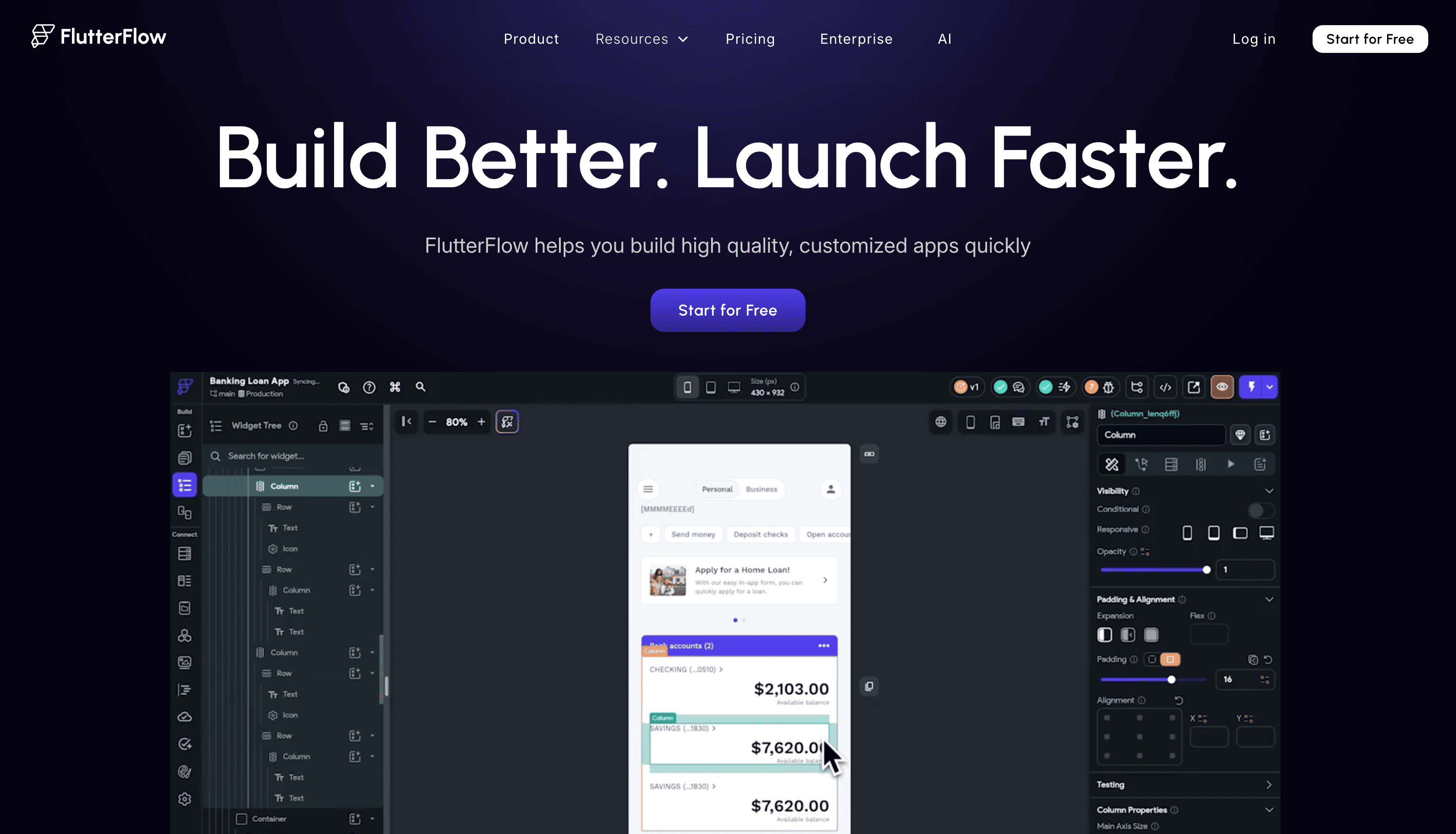
FlutterFlow exports clean Flutter/Dart code you can continue working in locally. In 2026, the platform has expanded significantly on AI and developer tooling. FlutterFlow MCP (launched May 2026) lets you build and edit FlutterFlow apps using AI coding agents you already use, like Claude Code or Cursor. GenUI lets an AI agent compose interactive UI from prompts at runtime rather than hardcoding every screen. Supabase has also become a genuine Firebase alternative within the platform, with OAuth integration and Edge Functions support added in 2026.
Internal tools for businesses (like admin dashboards)
Client portals
SaaS
Apps that need to connect to 5+ different systems
Legacy system modernisation
Mobile apps for iOS and Android
Offline-capable applications
Apps with heavy mobile interactions (camera, GPS, push notifications)
Prototypes that can evolve into full apps
WeWeb is flexible, but it thinks in web terms. You have containers, grids, and flexbox layouts. If you’re familiar with CSS, you’ll feel right at home.
The design system (typography, colour and classes) is great. You can create consistent styling across your app with minimal effort.
 FlutterFlow feels more like Figma or Sketch. You’re working with Material Design and Cupertino components that look good. Animations are way easier in FlutterFlow.
However, Flutterflow has its limitations after a certain point. WeWeb, on the other hand, has no restrictions.
WeWeb lets you create and import custom components if it’s not available natively. WeWeb AI can help you import any component or modify the code of any element to make it work in WeWeb.
FlutterFlow lets you customise widgets, but it’s more about picking from their library and tweaking. If you need something custom, you might hit a wall.
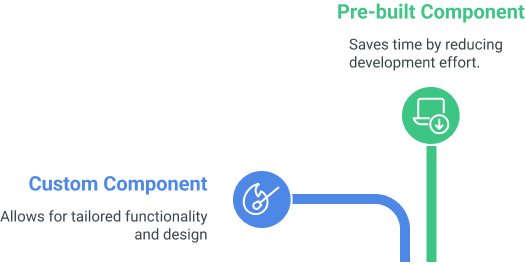 You cannot directly import external Dart files into the FlutterFlow builder. You can create a custom widget and make it work. But it’s not straightforward.
Some FlutterFlow experts export their apps and import Dart packages or custom components locally in their development environment before releasing them.
WeWeb connects to Airtable, Google Sheets, Supabase, Xano, and any REST API. Since April 2026, it also includes WeWeb Tables as a native Postgres backend for teams who don’t want to manage a separate database.
FlutterFlow connects to many backends. Firebase remains the most established pairing, but Supabase has become a strong alternative. In 2026, FlutterFlow added native Supabase OAuth integration and Edge Functions support, so teams can now switch away from Firebase without losing integration depth.
Creating workflows is easy in WeWeb. You can drag, drop, and connect actions. Everything is visual.
FlutterFlow is more technical. You build workflows using actions and sometimes Dart code. It can do more but is harder for beginners.
If you want speed and simplicity, go with WeWeb. If you need control and more advanced logic, FlutterFlow is a better fit.
Both WeWeb and FlutterFlow are excellent for easily integrating APIs.
Payment gateways, CRMs, whatever you want can be integrated.
And if you’re looking to integrate AI into your platform, it’s no different from existing a third-party API.
Both platforms let you export the code and host it yourself.
FlutterFlow lets you download the code. You can import the project into another development environment and work on it.
WeWeb lets you export your application as a standard Vue.js app, allowing you to host it on your servers. It means you can take charge of data security and align everything with your organisation’s policies.
WeWeb is well-documented, the support team is active, and it has a community, but third-party tutorial coverage is thinner. The WeWeb team has been putting out more YouTube content alongside each release, so this gap is closing.
FlutterFlow has a larger community and more tutorials, especially from developers who learned mobile through it. If your team learns by watching rather than reading docs, FlutterFlow has more material available.
FlutterFlow’s current plans (annual billing):
| Plan | Price | What unlocks |
|---|---|---|
| Free | $0 | Build and test, no code download |
| Basic | $39/month | Code download, APK download, unlimited projects |
| Growth | $80/month (1st seat) | GitHub integration, 2-user collaboration |
| Business | $150/month (1st seat) | Up to 5 users, CLI, Figma frame import |
WeWeb has separate workspace and site plans. Workspace plans start at $20/month (Essential, billed annually). Site plans start at $13/month for frontend-only. If you use WeWeb Tables as your backend, you don’t need a separate backend subscription at all.
Both tools have free tiers that work for exploration but not production. For serious use, budget $39-80/month for FlutterFlow and $20+ for WeWeb depending on your workspace needs.
If your product runs in a browser and your team needs to connect multiple systems quickly, WeWeb is the better fit. Our WeWeb agency handles exactly this type of build.
If you’re building for iOS or Android and native device features matter (camera, GPS, push notifications, offline mode), FlutterFlow is the right tool. WeWeb won’t get you there.
The wrong choice here costs months. Both platforms let you try before you commit, so run a real prototype with your actual data before locking in.
Should I use WeWeb or FlutterFlow for a mobile app?
FlutterFlow. It’s built on Google’s Flutter framework and generates native iOS and Android apps. WeWeb is a web app builder. It runs in a browser and doesn’t generate native mobile apps. If your users are primarily on phones and need offline access, camera, GPS, or push notifications, FlutterFlow is the right choice.
Can WeWeb build mobile apps?
Not native ones. WeWeb builds progressive web apps (PWAs) that run in a mobile browser. For most internal tools and dashboards accessed on phones, this works fine. For apps that need native device features like camera, GPS, Bluetooth, or push notifications, you need FlutterFlow or a native framework like Flutter or React Native.
Does FlutterFlow export clean code?
Yes. FlutterFlow downloads the full Flutter/Dart codebase, which your developers can continue working in locally. You’re not locked to Flutterflow after export. WeWeb also exports as Vue.js, so both tools give you source code ownership.
Which is better for internal tools: WeWeb or FlutterFlow?
WeWeb. Internal tools and dashboards typically run in a browser, integrate with multiple backend systems, and need easy third-party integrations. WeWeb handles this naturally with its backend connectors for Airtable, Supabase, REST APIs, and databases. FlutterFlow’s strength is mobile-first, not multi-system web dashboards.
Which has a better developer community: WeWeb or FlutterFlow?
FlutterFlow has more tutorials, a larger community, and better documentation coverage. WeWeb is well-documented but has fewer third-party video resources. If your team learns by watching tutorials rather than reading docs, FlutterFlow has more material available.
Web tool or mobile app? The platform choice follows the product decision.
We work in WeWeb for web and internal tools. If you're not sure which direction fits your use case, 30 minutes of scoping will tell you before you commit to a stack.
Himanshu runs NocodeAssistant, a development agency that builds internal tools and SaaS products for growing companies. He's worked directly with every client since 2019. Same person from kickoff to post-launch.
Connect on LinkedInLet's talk
Book a relaxed 30-minute call. Bring whatever you're wondering about and we'll help you think it through, whether or not you ever work with us.
Continue reading
Buildship vs Xano: compare AI workflow capabilities, backend flexibility, pricing, and use cases to pick the right automation backend for your stack.
Bubble is faster to launch. WeWeb gives you code ownership and no lock-in. Here's which to pick and when switching from Bubble to WeWeb makes sense.
The wrong pick means a rebuild in 18 months. Bubble builds web apps, Webflow builds marketing sites. We compare UI control, CMS, SEO, and cost.