Your team is growing. You hired your 50th employee, and your processes are getting more complex. To manage your growing business, you build a custom internal tool.
Things start to fall into place, but two years later, things are breaking apart again. Your operations manager is frustrated, your customer support manager doesn’t have the right information, and your sales team does not have the right leads. So you’re wondering whether the internal tool that you built was the wrong decision.
It wasn’t.
But what has changed? And what could explain why your custom internal tool, which worked fine two years ago, is now falling apart? Do you need to rebuild the internal tool, or do you need to fix it, and more importantly, why is it not working as it did two years ago?
It’s very tempting to jump the gun and assume that you bit off more than you can chew.
Maybe you think that the original team made some bad decisions. Maybe the architecture is wrong, or maybe the whole thing was set up incorrectly. Sometimes that’s true, but usually it’s not the tool that doesn’t work.
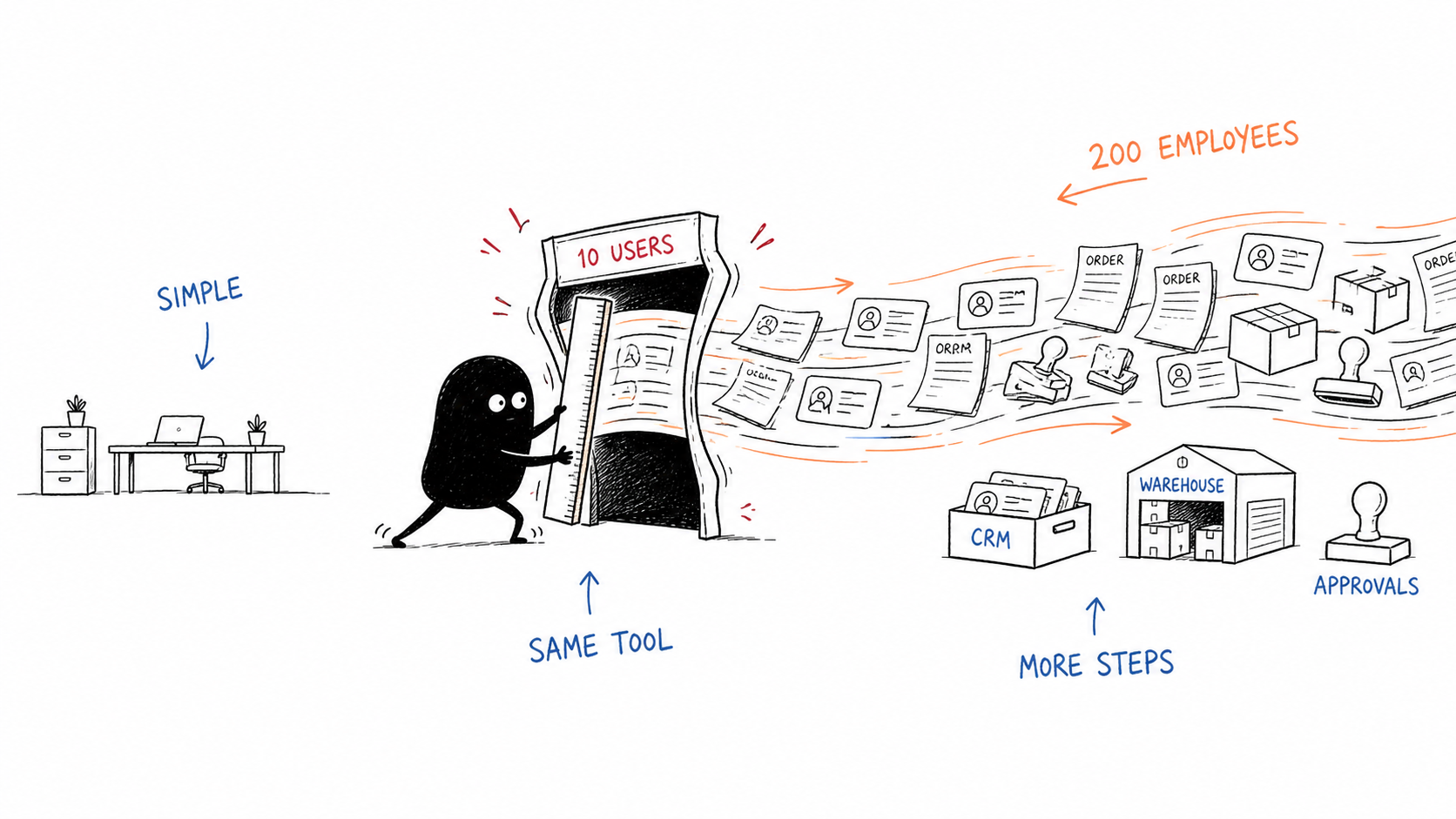
So think of a simple order approval process. When you were a small team, the process from placing an order to delivering it involved three to four steps. Now you need to add customer details to the CRM. The CRM Order has to be routed to the correct warehouse, and within that warehouse there can be different managers, each with their own approval chain, which also has to be logged.
In fact, this is a good problem to have because it means your company is growing, but it is not the only reason internal tools fail. There are a couple of reasons they fail, and ways to counter them. In our experience, internal tools fail for a few common reasons.
Failure 1: No clear owner
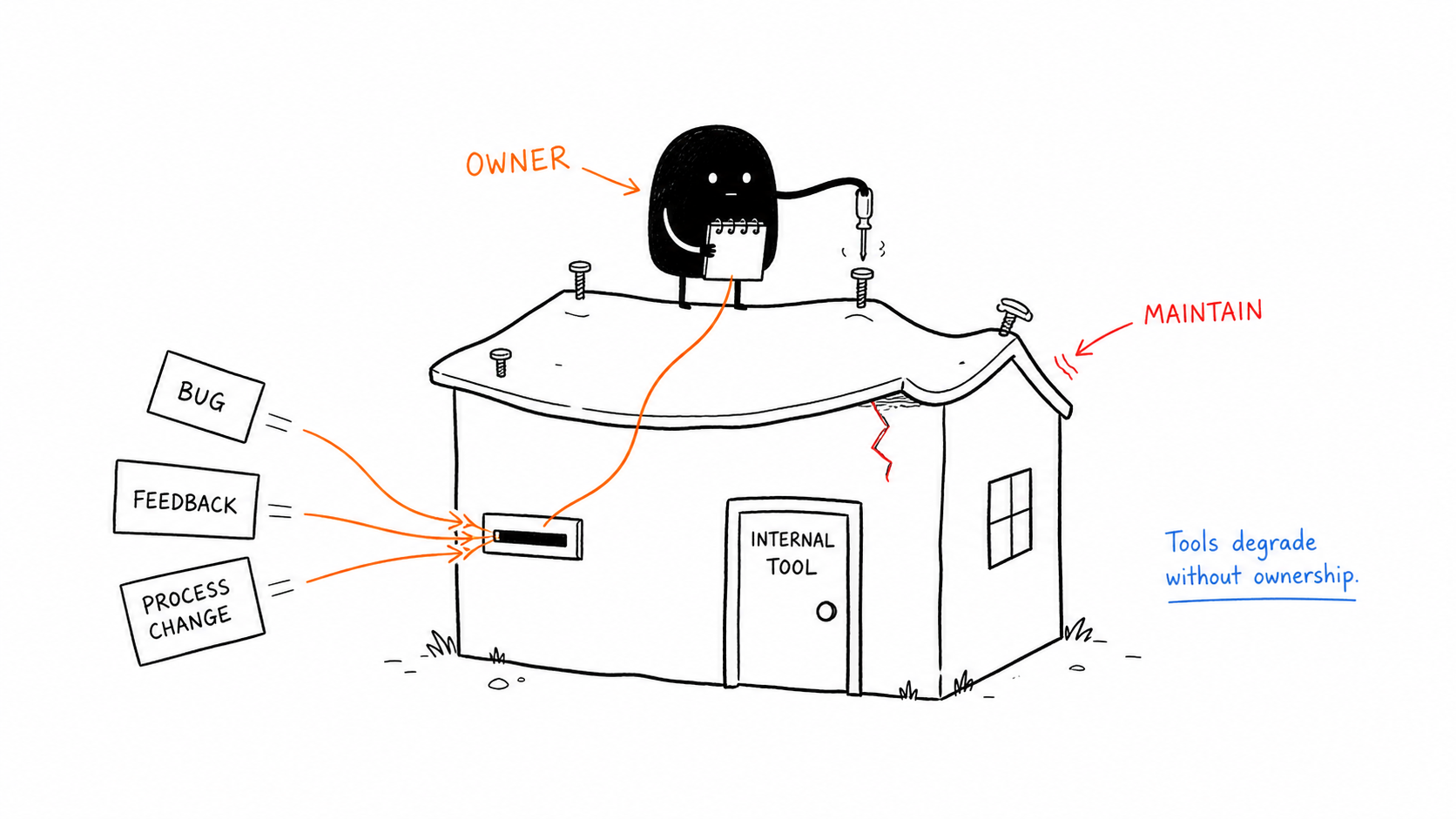
The most common reason internal tools fail, based on what we’ve seen, is that companies build them with a lot of enthusiasm. But they don’t assign someone to maintain the tool and drive adoption across the company.
Usually, it’s the CEO in mid-market and SMB companies who wants an internal tool, and once it’s built, the CEO obviously doesn’t have time to make sure it is maintained well. This means that when a new bug is reported, the process changes, or team members share feedback, but there is no one to share it with. This means that over a period of time, usually one or two years, the internal tool degrades even though it is working as it was built two years ago.
The fix is to assign an owner for the internal tool in your company, who is responsible for maintenance and upgrades.
Failure 2: Users are left out
The second most common reason why internal tools fail is that the end users aren’t involved in the planning process. It’s usually the CEOs or the VPs who are pushing for an internal tool, and they have a lot of operational knowledge. Still, the end user will use it and can share how their ideal internal tool should work, including edge cases and exceptions.
Failure 3: Workflow complexity
At the start, no company can build an internal tool that completely automates its processes. You’ll always need someone to use it. So focus on making their work easier, rather than replacing them. This also means the internal tool may not handle every scenario, so it needs to flag those cases.
Failure 4: The tool was built wrong
It’s uncommon, but in some cases the internal tool could have been built wrong. The UX may be difficult for the users to navigate, or the UI could be an issue.
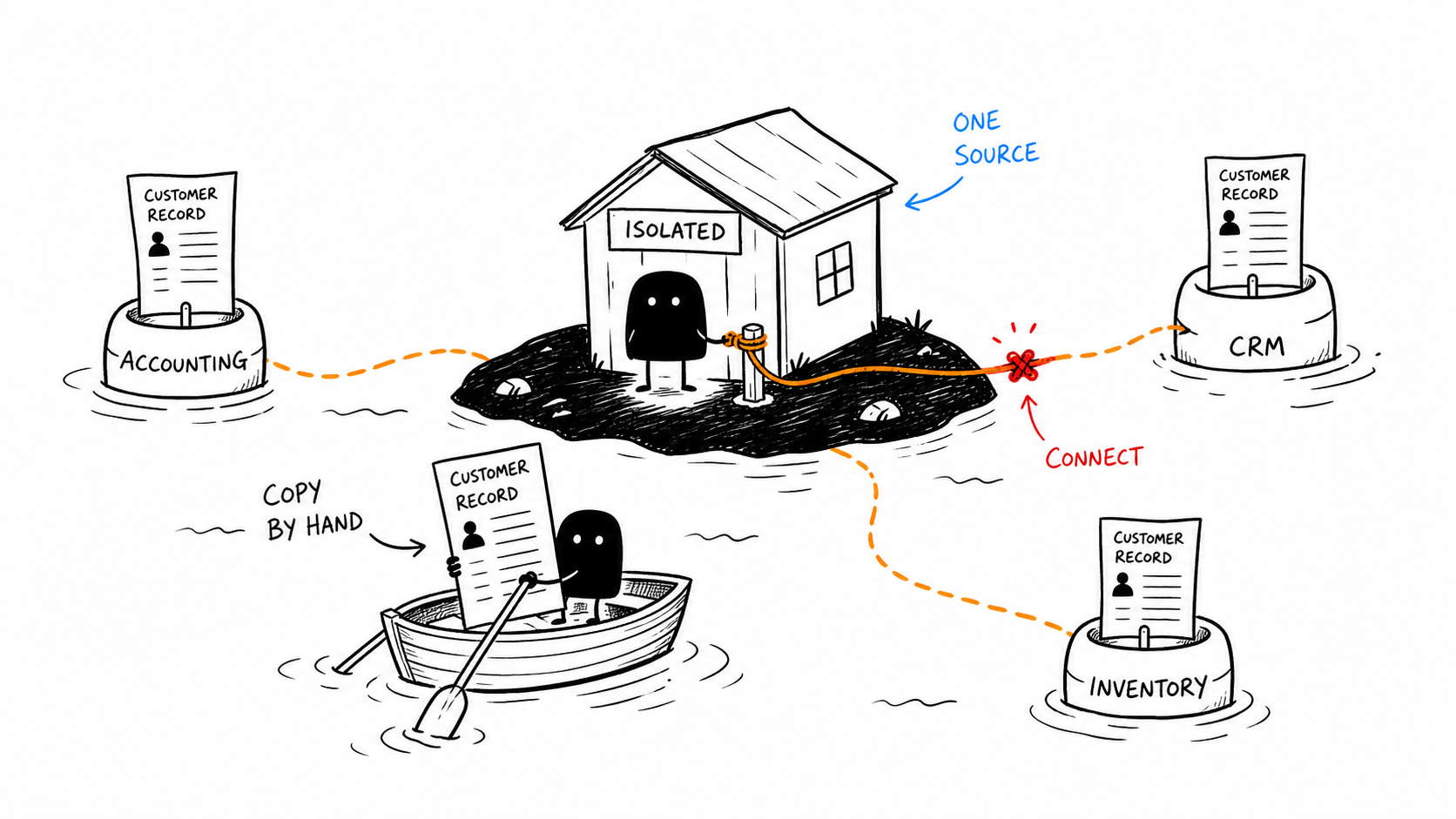
It’s also possible the integrations aren’t set up properly, and the tool was built to function as a standalone app. But now, as your company has grown, you want it to connect to your CRM, accounting software, and warehouse system, and people are spending hours copying data between systems.
Not all technical debt is bad. In some cases, you are forced to take shortcuts for problems you don’t yet have. The problem starts when you never fix this debt. You can use a temporary workaround, but if you make it a permanent feature, every future feature will be built around it, and sooner or later your small changes will start to break apart.
The new failure mode: AI-generated internal tools
Many people and companies have started experimenting with LLMs to “vibe code” their internal tools. And to some extent, it does work.
But it works fine until you use it at scale. These vibe-coded internal tools, built with Claude or Codex, work fine until you use them with real customers, need a permissions model, or need consistent design.
How to identify why your internal tool is failing
Before you fix anything, you need to find what is broken, because if you fix the wrong thing, you’ll waste money and time.
Start with these three questions.
Is the tool slow?
Look at the main workflow your team uses every day.
How long does it take to open a page, find a record, save a change or generate a record? Has this time increased since you built this internal tool, or as your team has grown?
Ask your users what they do while they wait. If they open a spreadsheet or copy data into another tool, you have performance issues.
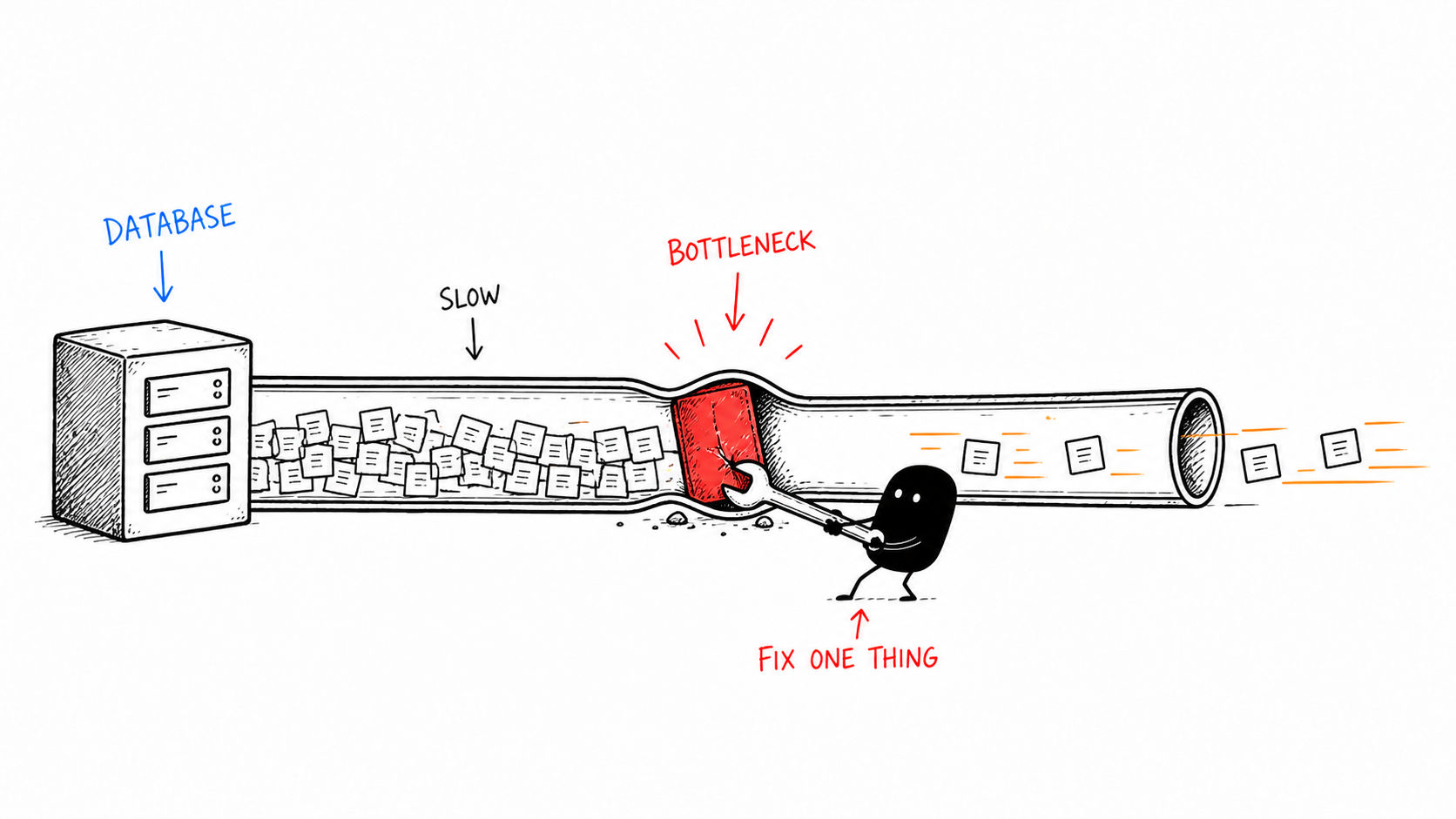
Check the database queries and API calls before you change the UI. In some cases, a slow report may need an index or a background process rather than a complete rebuild of the API call or the internal tool.
Is the tool difficult to use?
You can build a fast internal tool, but employees may still not use it regularly.
Ask different users to complete the same task and see how they use the internal tool.
Do they use different paths? Do they use different features? Do they skip some features? Are there any screens that show too much information or approval steps that are too complex?
This usually means that the tool has grown more complex than it was originally built for. In this case, the UI, UX can be simplified.
Is your team copying data between systems?
Start by writing down every third-party tool your team uses.
It can be your CRM, your accounting software, inventory, or warehouse. Then find out how often these third-party tools are being used, because these are the areas where your team might be copying and pasting data between these tools.
So, in this case, you shouldn’t rebuild the internal tool because that will not solve the problem. You will need to add API integrations or MCP calls to solve this.
At the end of this review, you will be able to find why your internal tool is failing.
How to fix your internal tool?
Once you know why your tool is failing, you can fix it. And in most cases, you don’t need to rebuild from scratch.
If your internal tool is slow, find the workflow where users are wasting the most time. Start with the pages and queries people use most often.
These changes sound small, but one company I worked with had a reporting screen that took 45 seconds to load. We indexed two database columns, and the screen now loads in 3 seconds for the longer run.
If your internal tool is difficult to use, limit the data loaded on each page, add pagination, and move heavy reports into background tasks.
Create role-based views so different users see different parts of the application, and you can hide features they don’t need.
You can also pick a few core workflows that overlap for all the departments, so everyone knows what the tool is actually for. In most cases, this doesn’t require a new internal tool. Only the UI/UX needs improvement.
Long term, you can modularise your internal tool. You can build mini tools that share a database, or create a master internal tool and link out to the smaller internal tools. This way, you won’t have to replace the database. Instead, update the user interface.
If it is a disconnected tool, map the processes first. Then decide which integrations are needed and rate them based on the manual effort involved. Even a small API integration can solve a problem without rebuilding the internal tool from scratch.
Finally, assign an owner for the internal tool. This internal tool owner doesn’t need to write the code. They only need to collect feedback, approve changes, track bugs and make sure your team is still using the internal tool.
Repair or rebuild?
That usually happens when
The main workflows are still useful.
The problems are mainly performance, poor UX, or missing integrations.
The code can be understood by someone else on your team.
On the other hand, rebuild the internal tool when the basics are not correct.
If the data structure does not match what you currently have.
Nobody understands how the internal tool works.
The original developer is gone, and you don’t have any documentation of the internal tool.
Every new change to the internal tool adds new bugs
The internal tool depends upon systems that you no longer use.
One problem doesn’t mean you need to rebuild the internal tool. A missing integration or a slow report can always be fixed.
So before you decide, do a short technical review. You should know what can be kept, what must be replaced, which risks will remain after the repair, how long the repair and rebuild will take and what options you have to maintain the tool.
A simple playbook for a failing internal tool
Interview a couple of users in your company.
Kill or freeze features and workflows nobody uses.
Make one workflow excellent instead of ten mediocre workflows.
Break a complex internal tool into small tools.
Assign an owner for the internal tool.
Review after 30 and 60 days whether the improvements have led to an increase in adoption.
Say you have a team of 50 people, and 8 of them spend 30 minutes/day working with a broken internal tool. That’s about 4 hours of wasted time daily and over 1,000 hours every year.
Now compare that with your average employee cost, which is somewhere between $40,000 and $80,000.
Every month you don’t fix your internal tool, you lower productivity. Your team’s job becomes harder, and workarounds become more complicated.
Fixing an internal rule will, in every case, cost a fraction of what you waste every year.
Frequently asked questions
Why do internal tools stop working when a company grows past 50 employees?
It’s not that the tools are bad. It’s just that the way the tool is used has changed. A tool built for 10 users is very different from a tool being used by 50 employees at a company. The data volume and reporting time have changed. The simple workflow becomes more complex, and over time you use more third-party tools, so data has to be transferred between them.
How do you know when to fix an internal tool versus rebuild it from scratch?
You can fix your internal tool when the basic foundation is correct, and the problems are mainly performance issues or missing integrations. Rebuild when the technology is deprecated, the data model is wrong, the original developer is gone, and no one understands the code, or the technical debt is so severe that every change breaks something.
How much does a broken internal tool cost in wasted time?
An 8 person team spending 30 minutes per day working with a broken internal tool loses $40,000-$80,000 annually. We charge a fraction of one year’s cost.
What’s the fastest way to fix a slow internal tool?
Start with a diagnostic of the internal tool before making any changes. Most problems can be solved with database indexing or UI/UX changes. We helped one company cut report generation time from 45 seconds to 3 seconds by adding database indexes.
What are the warning signs that an internal tool is about to break?
Look for gradually increasing load times, users maintaining their own spreadsheets because your internal tool cannot handle the workflow, or rising support tickets or Slack messages about the tool not working.
Fix or replace? It depends on where the limits actually are.
We rebuild internal tools that have hit their growth ceiling. A 30-minute call is enough to walk through your setup and tell you honestly which direction makes sense.
Himanshu runs NocodeAssistant, a development agency that builds internal tools and SaaS products for growing companies. He's worked directly with every client since 2019. Same person from kickoff to post-launch.
A private family office. 3 investment staff. 450 companies on the watchlist. Days of manual reading before every committee meeting. We built an internal AI tool over 2,200 annual reports and earnings call transcripts: cited, grounded, verified. Full case study.
18k orders/month, 4,200 tickets, 3 support agents. A custom AI support agent cut median first response from 4.2 hours to 8 seconds and support team cost by 35%.
What it takes to migrate a Bubble app to custom code: 3 to 5 months, $15k to $25k, and the data mistakes that cause the most trouble. A practical guide to using AI coding agents.