When a basic workflow sits in an IT queue for months, the cost is more than the delay. People keep copying data, checking spreadsheets, and working around a process the business already knows how to improve.
Low-code automation gives teams a faster way to turn a defined process into working software. It is not the answer for every system, but it can be a better fit than buying a large platform or building every internal tool from scratch.
What is Low-Code Automation?
You can build software by dragging and dropping elements.
You outline your business processes, such as how invoices are approved or how you handle customer complaints. The platform then creates working software for you.
You won’t need to write thousands of lines of code or wait months for IT to finish it.
It’s not only for simple processes. Customer portals, inventory systems, and approval workflows that involve multiple departments. All the repetitive and boring work which can frustrate your team and make them want to quit.
Why this matters right now
This is what I see happening in companies every day:
IT bottleneck
Your IT team is drowning. Every time you need a simple form or report, it goes to the bottom of a six-month queue.
Spreadsheet overload
Meanwhile, your teams are running critical processes in Excel, sharing files via email, and losing track of who has the latest version.
Vendor trap
You might be spending too much money on enterprise software that only does 80% of what you need. If you want to make a simple change, it could cost you $50,000 and take six months to implement.
Tools that matter
Each tool has its pros and cons, and different use cases will need different tools.
Appsmith
Pros:-
Free to start
Great for building internal dashboards and admin panels
Your developers will love it because they can still write code when needed
It connects to nearly every database
Cons:
More technical than some others
You’ll probably need at least one developer on your team
Best for: Companies that want to own their code. Perfect if you’re tired of paying per-user fees.
What it’s good for: Internal tools, dashboards, admin panels
Microsoft Power Apps
Pros:
Integrates directly with Office 365, Teams, SharePoint
Your employees probably already know how to use it
Good for simple to medium-complexity apps
Decent pricing if you’re already paying for Microsoft licenses
Cons:
Expensive if you need advanced features
Limited if you need to integrate with non-Microsoft stuff
Can be slow with heavy data
Best for: Companies already in the Microsoft ecosystem. Integrates with everything Microsoft.
What it’s good for: Quick apps, forms, simple workflows
OutSystems
Pros:
Can handle complex use cases
Great for building customer-facing apps
Lots of pre-built components
Strong security features
Cons:
Expensive
Steep learning curve
You might need consultants to get started
Can feel like overkill for simple processes
Best for: Large enterprises with deep pockets and complex needs.
What it’s good for: Enterprise-grade applications
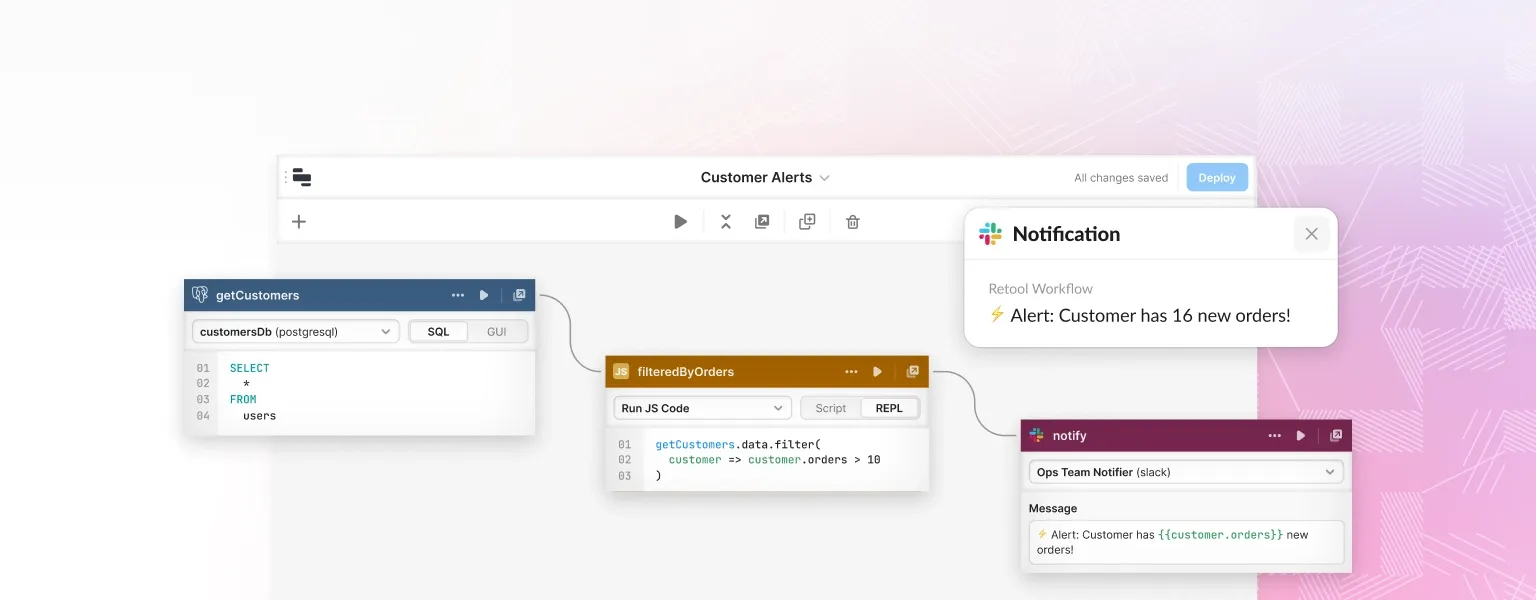
Retool
Pros:
Developer-friendly
Great for building admin panels and dashboards
Wide availability of connections with other platforms
Cons:
Can get slow with complex apps
Debugging requires coding knowledge
Expensive
Best for: Tech-savvy teams that need internal tools fast.
What it’s good for: Internal tools for technical teams
Mendix
Pros:
Good balance of visual development and code
Strong mobile app capabilities
Decent ecosystem of add-ons
Can scale from simple to complex
Cons:
Pricing can get confusing
Still need some coding knowledge for advanced stuff
Not the easiest, not the most capable
Best for: Large companies with dedicated development teams that need flexibility but don’t want to overpay for features they won’t use.
What’s it good for: Full-scale application development
Kissflow
Pros:
Easy to use
Pre-built templates for common processes
Good for approval workflows and form-based processes
Reasonable pricing
Cons:
Less flexible for complex custom apps
Limited when you need deep integrations
Can feel restrictive if you have unique requirements
Best for: Companies that want to automate standard business processes quickly.
What’s it good for: HR workflows, purchase approvals, etc.
n8n
Pros:
Self-hosted or cloud, so you’re not locked into one vendor’s pricing
Open source core, with hundreds of pre-built integrations
Flexible enough to handle branching logic most no-code tools choke on
Cons:
Steeper learning curve than form-first tools like Kissflow
Self-hosting means someone owns the server, updates, and uptime
Best for: Teams that want an automation layer that isn’t tied to a single platform’s roadmap.
These are some projects we’ve built that made a real difference:
The Logistics Company that saved 20 hours a week
They had drivers filling out paper forms. Office staff typing everything into spreadsheets. Managers create reports manually.
We built them a simple mobile app. Drivers enter data on their phones. Everything flows into a dashboard. Reports are generated automatically.
Result? Their operations manager went from spending two days a week on reports to checking a dashboard for five minutes.
The marketing agency that fixed their client communication
They were managing over 50 clients across email, Slack, and spreadsheets. Nothing was connected. Deadlines were missed. Clients were frustrated.
We built them a client portal. Project timelines. File sharing. Approval workflows. Everything is in one place.
Now, clients can see exactly what’s happening with their projects. The team knows what’s due and when. Everyone’s happier.
A manufacturing company which automated its quotes
Their sales team was manually creating quotes. Taking days to price complex orders. Lots of back-and-forth with engineering. (If you’re a manufacturer wondering whether to buy an ERP or build your own custom tool, this post walks through the actual numbers.)
We built a quote configurator. Sales reps enter the specs. The system calculates pricing automatically. Engineering gets notified for complex items.
Quote time went from days to minutes. And the sales team is closing more deals.
Benefits
Speed that makes sense
We’re not talking about saving 10% here and there. We’re talking about processes that took weeks now, taking hours.
People can use it
Your team doesn’t need a coding background. If they can use a smartphone, they can use these tools.
They grow with you
Start simple. Add features as you need them. No need to buy enterprise software for a startup-sized problem.
Custom process according to your company
Not locked into someone else’s way of doing things. Build it the way your business works.
Cost savings
Not only software licenses. Think about the time your people spend on manual work. The errors from copying data between systems. The delays from waiting for IT.
Things to look out for
It’s not magic
You still need to think through your processes. If you automate a broken process, you will only create broken automation.
Change management
Your team might resist new tools, especially if they’ve been burned by poor software in the past. Plan for training. Get buy-in early.
Integration is tricky
Connecting to your existing systems can be challenging. Especially with older software. Budget time for this.
How to get started
Step 1: Pick one problem
Don’t try to automate everything at once. Find one process that’s causing pain. Something small enough to finish in a few weeks.
Step 2: Map it out
Write down every step in your current process. Who does what? Where does data come from? What decisions get made?
Step 3: Choose Your Tool
Based on your team’s technical skills and your existing systems.
Step 4: Build a Prototype
Don’t aim for perfection. Build something that works. Get feedback. Improve it.
Step 5: Train Your Team
Not just how to use the new tool. Help them understand why it’s better than the old way.
Conclusion
Low-code automation will not solve every problem in your business. It can be a good fit for defined workflows where the rules are clear, the data sources are known, and the team needs to make changes without a long development queue.
It cannot solve workflows that require judgment in the middle, rather than fixed steps executed in order. That belongs to a different category of tool. See what an AI agent actually does.
The useful starting point is one painful process, not a company-wide automation programme. Map the current steps, build a small version, and test it with the people who do the work. If the process is a good fit for low-code, see how NocodeAssistant builds internal tools.
Himanshu runs NocodeAssistant, a development agency that builds internal tools and SaaS products for growing companies. He's worked directly with every client since 2019. Same person from kickoff to post-launch.
SAP and NetSuite are built for companies ten times your size. Here's why a $12,000 custom tool fixes more than a $150,000 ERP, and how to know which one you actually need.