

Comparisons
BuildShip vs Xano: Pricing, Features, and Use Cases for 2026
Buildship vs Xano: compare AI workflow capabilities, backend flexibility, pricing, and use cases to pick the right automation backend for your stack.
Himanshu Sharma ·
![WeWeb vs Webflow: A Detailed Comparison [2026]](https://assets.nocodeassistant.agency/68c01c379d4f45a6a4e640ca_Generated Image September 09, 2025 - 5_51PM.webp)
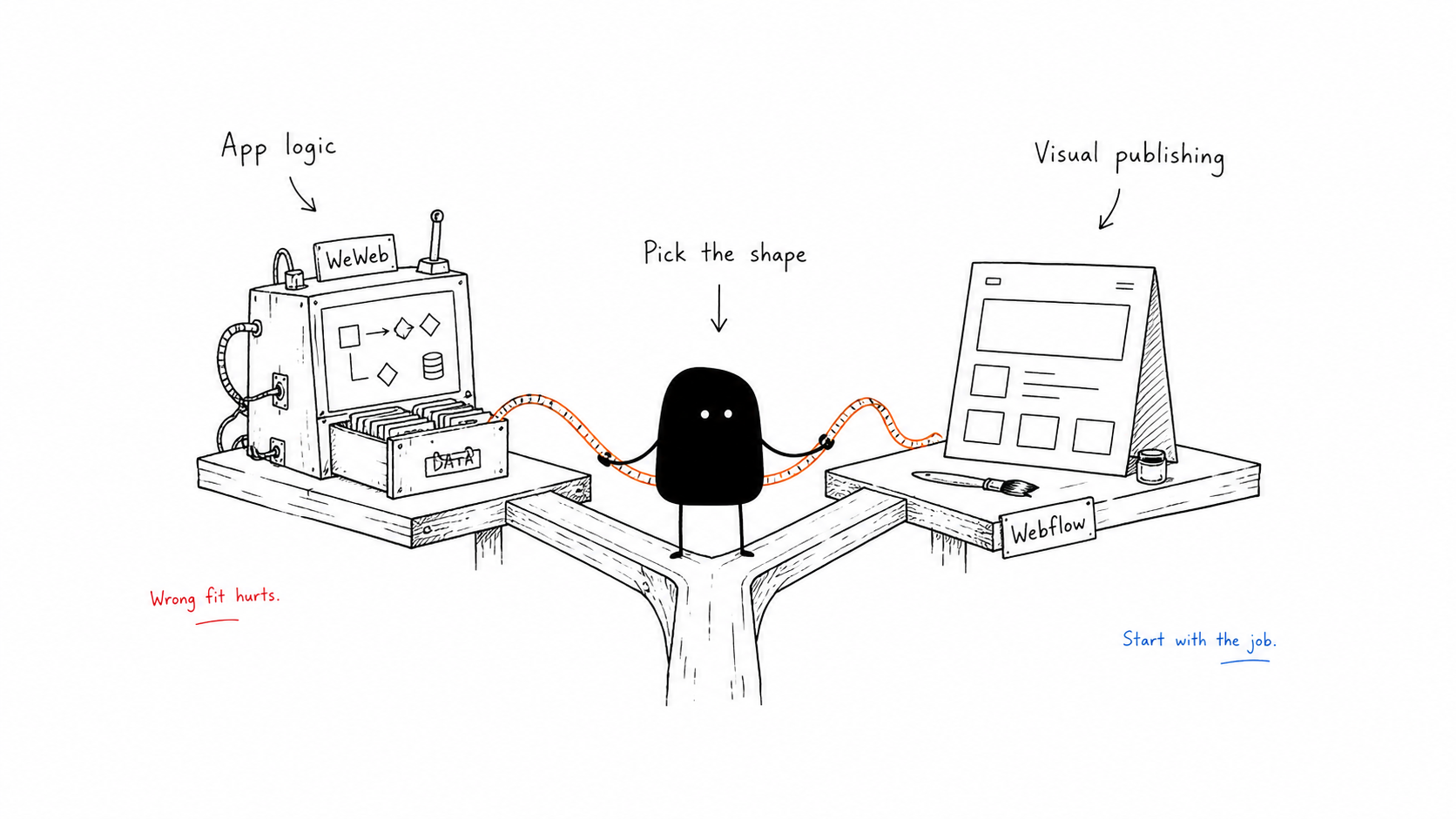
When your team needs a new front-end, the question comes up fast: WeWeb or Webflow? Both let you build visually. But they aren’t built for the same use cases.
This guide will help you choose between Webflow and WeWeb.
If your priority is a front end with workflows, API integrations, and the ability to export Vue code into a Git CI/CD flow, then WeWeb is the stronger fit.
If your focus is on a marketing or content site with a built-in CMS, hosting, e-commerce, and SEO-ready publishing, Webflow is the natural choice.
Many teams end up using both: Webflow for their marketing site and WeWeb or Webflow+Wized for the app-like product areas.
Choosing the wrong tool looks fine on day one, but it becomes expensive later. The platform you select decides how fast your marketing team can publish, how easily you can add workflows and authentication, and whether you will be locked into a hosted platform or own your code.
If you pick the right tool, you’ll spend less on rework. Pick the wrong one, and you’ll trade speed for duct-taped integrations or costly migrations.
It also helps to look at where each platform is heading.
In 2025 and 2026, Webflow made two significant retreats from app-like features: Logic (workflow automation) was deprecated in June 2025, and native User Accounts were disabled in January 2026. Both functions now rely on third-party tools. At the same time, Webflow has doubled down on its design and AI strengths: acquiring GSAP for advanced animations, launching an MCP server that works with Claude Code and Cursor, and adding Webflow Cloud for deploying simple full-stack tools from a prompt.
WeWeb’s direction is different. The April 2026 launch of WeWeb Tables gave it a native backend (Postgres, auth, file storage) for teams who don’t need Xano or Supabase. AI multi-page generation arrived in May 2026. The platform is moving toward developer flexibility and self-contained builds.
WeWeb is designed for web apps and product front-ends, while Webflow is for marketing and content sites. WeWeb exports a Vue app you can host and manage yourself, while Webflow exports static HTML, CSS, and JS but leaves CMS and commerce tied to its platform.
Webflow has a native CMS and e-commerce engine. WeWeb now has its own native backend (WeWeb Tables, launched April 2026: Postgres, auth, file storage), plus connectors to external backends for teams that need more.
These short differences expand into much deeper trade-offs once you go beyond first impressions.
Imagine two projects side by side.
One is a SaaS startup that needs a customer dashboard with filters, saved views, and authenticated users. Data comes from Postgres, and users expect a UI with frequent updates to business logic.
The other is a retail brand that needs a content-driven site with a blog, landing pages, and a small e-commerce catalogue. Their editors want to publish quickly, and their growth depends on SEO.
For the startup, WeWeb is the better match. It has components, variables, workflows, and connectors to databases. For the retailer, Webflow is the clear fit, with its native CMS and hosting.
Many SMBs actually combine the two: Webflow for marketing, WeWeb for product front-ends. That hybrid approach is pragmatic and common.
Webflow works like a visual editor for HTML and CSS. Designers get full control over spacing, fonts, flexbox, grid layouts, and how styles cascade. This level of control matters if you care about brand accuracy or need pixel-perfect designs.
WeWeb focuses on how components connect to data and workflows. That doesn’t mean your app won’t look clean. But the main priority is function. If your product relies on dynamic lists, filters, and charts, WeWeb is usually the better fit.
Webflow’s animation advantage widened significantly in 2025. After acquiring GreenSock (GSAP) and making it free for the web, Webflow launched a new Interactions system in July 2025 with SplitText, Staggers, ScrollTrigger, horizontal timelines, and reusable animations, all without writing code. Breakpoint-level controls were added at Webflow Conf 2025. For marketing sites and landing pages, nothing in the no-code space matches this.
WeWeb supports CSS keyframes and a transition editor, which is appropriate for app-style transitions and component-level effects. That’s enough for dashboards and portals. It’s not in the same league for rich, scroll-driven storytelling.
If animations matter to your site’s conversion or brand, the gap here is real.
WeWeb gives you variables, saved state, formulas, and branching workflows. Webflow has symbols and collections, but handling complex state isn’t really what it’s built for.
If your UI must respond to client-side conditions or calculations, WeWeb is designed for it. If you mostly render content lists and collections, Webflow is enough.
Webflow provides a native CMS and e-commerce engine. For authentication, real-time queries, or relational data, you layer on Wized, Supabase, or Xano. Webflow Cloud (launched mid-2026) lets you deploy simple full-stack tools like calculators, dashboards, and booking widgets from a prompt, but this is still early-stage and limited compared to a proper backend.
WeWeb connects to external backends from the start: Xano, Supabase, Airtable, Postgres, and any REST API. Since April 2026, WeWeb Tables gives you a native Postgres backend, auth, and file storage for teams who don’t want to manage a separate service.
Teams that need simple content workflows will find Webflow faster. Teams building apps with user data, complex logic, or multiple integrations will find WeWeb significantly more capable.
Read more: WeWeb and Supabase | WeWeb and Xano
WeWeb includes a visual workflow engine that runs on the client side, handling forms, API calls, and branching logic. It also has an MCP server that lets AI coding tools read and write your WeWeb app directly, which speeds up developer workflows.
Webflow’s Logic product was deprecated in June 2025. Today, Webflow leans on Zapier, Make, and Wized for automation. Webflow also launched its own MCP server (available on all plans, including free), so you can build and edit Webflow sites with Claude Code or Cursor. That narrows the developer tooling gap, but the workflow capabilities are fundamentally different: Webflow handles publishing and content, WeWeb handles application logic.
For workflows that must live in the front end and connect to user data, WeWeb is the right tool. For content publishing workflows, Webflow plus Make or Zapier is workable.
Authentication choices shape your tech stack.
WeWeb works well with Supabase, Xano, or Auth0 for token-based auth, and you can connect SSO through integrations. Since April 2026, WeWeb Tables includes native auth as part of the platform.
Webflow’s native User Accounts feature was disabled on January 29, 2026. Membership flows now require Memberstack, Outseta, or Wized. This is a significant shift: Webflow has explicitly exited the auth business. If authentication is central to your product, plan for the third-party cost and setup from day one.
If you want memberships and billing in a packaged way, Webflow’s partner ecosystem is still workable. If you want to build custom auth flows with full control, WeWeb is the better fit.
Webflow’s forms connect to endpoints or with webhooks. After the sunset of Logic, server-side validation happens through integrations.
WeWeb binds forms directly to workflows and variables, calling APIs for validation or handling file uploads through storage services.
For basic contact forms, Webflow is simpler. For multi-step or API-heavy forms, WeWeb is more capable.
Webflow generates semantic HTML, offers meta controls and sitemaps, and hosts server-side, giving strong SEO out of the box.
WeWeb builds client-heavy apps, which require pre-rendering or hybrid strategies for SEO-critical pages.
If SEO is central to your business, Webflow gives you less operational overhead. If SEO is secondary to app features, WeWeb is fine.
Webflow exports static HTML and CSS, but CMS, e-commerce, and memberships stay locked in. Migrating means moving content, rebuilding workflows, and reimplementing dynamic features, measured in months.
As an example, rebuilding a 500-page CMS site with collections, e-commerce, and user accounts from Webflow into a headless CMS and custom front end typically takes three to four months of developer and content team effort.
WeWeb exports a Vue app you can run in Git, self-host, and redeploy anywhere. Migration means reconfiguring workflows and APIs, usually measured in weeks.
Webflow includes TLS, managed hosting, and DDoS protection by default. On enterprise plans, you also get SSO, SCIM, and audit logs. For membership and advanced auth, you’ll need partner tools.
WeWeb relies on your backend and hosting to define compliance. You can integrate OAuth or SAML, but SOC2-level compliance depends on the infrastructure you choose.
Webflow offers a more packaged enterprise path, while WeWeb gives you flexibility but leaves compliance design to you.
Webflow has native e-commerce with Stripe and PayPal integrations. It works well for small and mid-sized catalogues.
WeWeb requires you to wire payments through your backend, which allows custom checkouts and split payments but adds engineering work.
If you need straightforward store features, Webflow is faster. If you need custom payment flows, WeWeb is more flexible, but do factor in the SEO requirements.
Webflow’s CMS caps at 10,000 items per collection, which is more than enough for most marketing sites and blogs, but limiting if you want to build marketplaces or content-heavy apps. Webflow also limits the number of CMS users and editors depending on your plan, which constrains larger teams.
WeWeb does not impose strict CMS caps, but your limits show up in the connected backend. Supabase or Xano will cap requests, storage, and bandwidth based on your plan. At scale, Webflow runs into collection caps, while WeWeb shifts the challenge to database and API throughput.
Subscriptions are only part of the story.
Webflow site plans (billed annually):
| Plan | Price | What you get |
|---|---|---|
| Basic | $15/month | Custom domain, static pages, no CMS |
| Premium | $25/month | Full Webflow CMS, site search, code components |
| Team | $2,500/month | Publishing workflows, localization, AEO agents |
| Enterprise | Custom | Granular permissions, advanced governance |
WeWeb has two separate plans to consider: workspace (seat) and site hosting.
| Workspace plan | Price | |
|---|---|---|
| Free | $0 | Limited, no code export |
| Essential | $20/month | Code export, self-hosting, production use |
| Pro | $50/month per seat | More AI tokens, larger teams |
| Site hosting | Price | Includes |
|---|---|---|
| Front-end only | $13/month | WeWeb frontend, no backend |
| Launch+ | $20/month | WeWeb Tables (Postgres, auth, storage) |
| Grow+ | $66/month | Higher bandwidth and storage |
You need at least an Essential workspace ($20/month) before you can add a site plan. A production app with one editor and WeWeb Tables starts at $40/month. Add Xano or Supabase and you’re looking at $100-$300/month depending on scale.
Read more: Backend costs for WeWeb
To make Webflow behave like an app, many teams add Wized. Wized charges per domain, with smaller projects paying in the low teens per month and production traffic requiring $39 or more.
Supabase or Xano also add monthly fees for the database and auth. Developer time remains the most significant cost.
Integrating auth, building migrations, and wiring automations can exceed platform fees several times over.
In year one, a realistic 12-month cost for a modest Webflow+Wized+Supabase stack can exceed $4,000 when you include developer hours, even though the license fees are only a fraction of that. A small Webflow marketing site, by contrast, can cost under $1,000 for the year.
Webflow has a rich ecosystem of training resources. Webflow University, YouTube tutorials, and templates make it easy for designers to learn quickly.
WeWeb is more documentation-driven. Its community is active and developer-focused, but the lack of broad video tutorials means PMs and devs ramp faster than pure designers.
In practice, design-heavy teams learn Webflow faster, while product teams comfortable with APIs and workflows learn WeWeb faster.
Migrating off these platforms is not straightforward.
With Webflow, CMS collections export to CSV, but linked fields and references often break. User accounts and auth need password resets or SSO reconfiguration. SEO can suffer if you don’t configure the redirects and sitemaps carefully. Asset libraries need to be copied and URLs updated. Hidden integrations, from webhooks to payment callbacks, break if undocumented.
With WeWeb, migration is easier because you can export code, but you still need to check APIs and ensure variables and workflows are replicated. The primary pain points are mostly related to developer time rather than lost data.
Score each factor from one to five. Product fit carries 30% of the weight. Speed to launch counts for 20%. Control and exportability, cost, portability, and team skills make up 50%.
Add the scores, and you will see which platform aligns with your needs. If the totals are close, pick the one with lower migration risk and lower long-term operational burden.
If you need a marketing funnel with SEO at its core, start with Webflow. Add partner tools if you need app-like features later.
If your primary need is an interactive front-end for your backend and you want code ownership, start with WeWeb.
For many SMBs, the practical answer is both: Webflow for content and WeWeb or Webflow+Wized for product.
As a WeWeb agency, we’ve built production apps on WeWeb and have clients running Webflow marketing sites alongside them. If you’re mapping your own situation, a 30-minute call is usually enough to get to a clear answer.
WeWeb or Webflow: which should I use for a SaaS product?
WeWeb. Webflow is for marketing sites, CMS, and e-commerce. WeWeb is for web applications. It connects to backends like Xano and Supabase, supports client-side workflows, state management, and user authentication, and exports as a Vue.js app you can self-host anywhere.
Is Webflow good for SEO?
Yes. Webflow has a native SEO advantage over WeWeb for marketing sites. It generates clean static HTML, gives you direct control over meta fields, and serves fast-loading pages. WeWeb requires pre-rendering or hybrid strategies to achieve the same SEO results, which adds complexity.
Can you export your WeWeb site and host it yourself?
Yes. WeWeb generates a standard Vue.js single-page application that you can export and host on Vercel, Netlify, AWS, or your own infrastructure. Webflow also offers code export. You’re locked to Webflow’s hosting.
How much does WeWeb cost compared to Webflow?
WeWeb workspace plans start at $20/month (Essential, annual billing). Site hosting starts at $13/month for frontend-only. Webflow’s Basic plan starts at $15/month; the Premium plan with full CMS is $25/month. The real cost difference shows up in add-ons: a Webflow app stack with Wized, Supabase or Xano, and developer time can exceed $4,000/year. WeWeb’s costs are more predictable once you account for your backend separately.
Can I use WeWeb for a marketing site and Webflow for my app?
You can, but you shouldn’t. Use Webflow for the marketing site (main domain) and WeWeb for the application (logged-in experience or subdomain). Both are good at what they’re designed for, and many SMBs run both in parallel without issues.
WeWeb or Webflow? The answer depends on what you’re actually building.
Marketing site, business tool, or both: we can map your use case to the right platform in 30 minutes. No deck. Just a straight answer.
Himanshu runs NocodeAssistant, a development agency that builds internal tools and SaaS products for growing companies. He's worked directly with every client since 2019. Same person from kickoff to post-launch.
Connect on LinkedInLet's talk
Book a relaxed 30-minute call. Bring whatever you're wondering about and we'll help you think it through, whether or not you ever work with us.
Continue reading
Buildship vs Xano: compare AI workflow capabilities, backend flexibility, pricing, and use cases to pick the right automation backend for your stack.
Bubble is faster to launch. WeWeb gives you code ownership and no lock-in. Here's which to pick and when switching from Bubble to WeWeb makes sense.
The wrong pick means a rebuild in 18 months. Bubble builds web apps, Webflow builds marketing sites. We compare UI control, CMS, SEO, and cost.